How to get a professional headshot without a photographer for free — AI Tutorial 2026
Turn any photo into a clean, professional headshot with AI in seconds — natural pose, professional lighting, polished details. Perfect for LinkedIn, resumes, and business profiles. Do it for free with this tutorial.
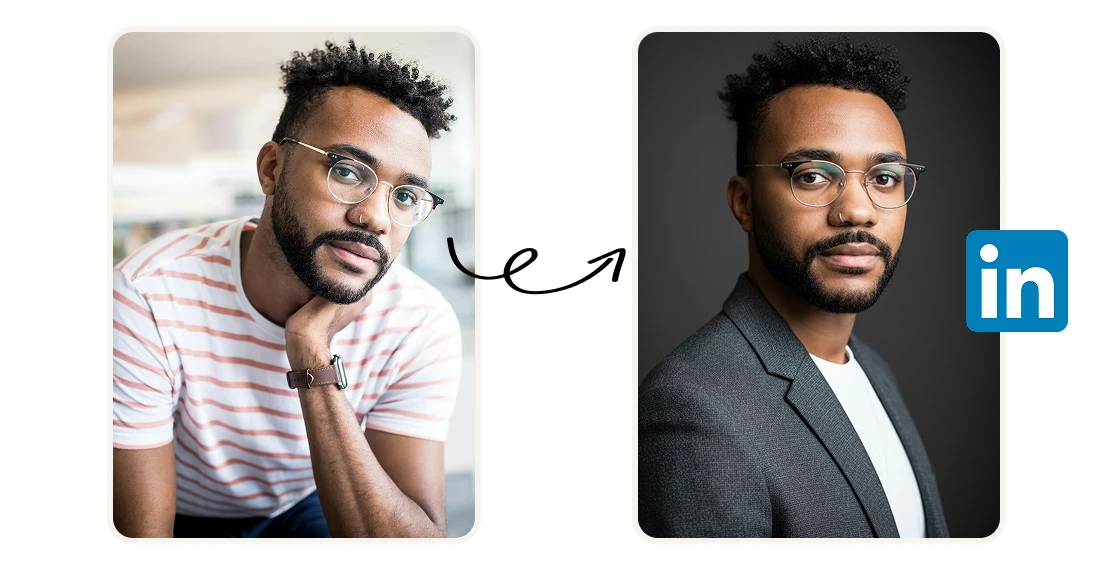
A professional headshot used to mean booking a photographer, finding a studio, spending $150–$300, and waiting days for the edited files. Here's the exact tutorial to do that in a second with AI.
Step 1: Open the Tool
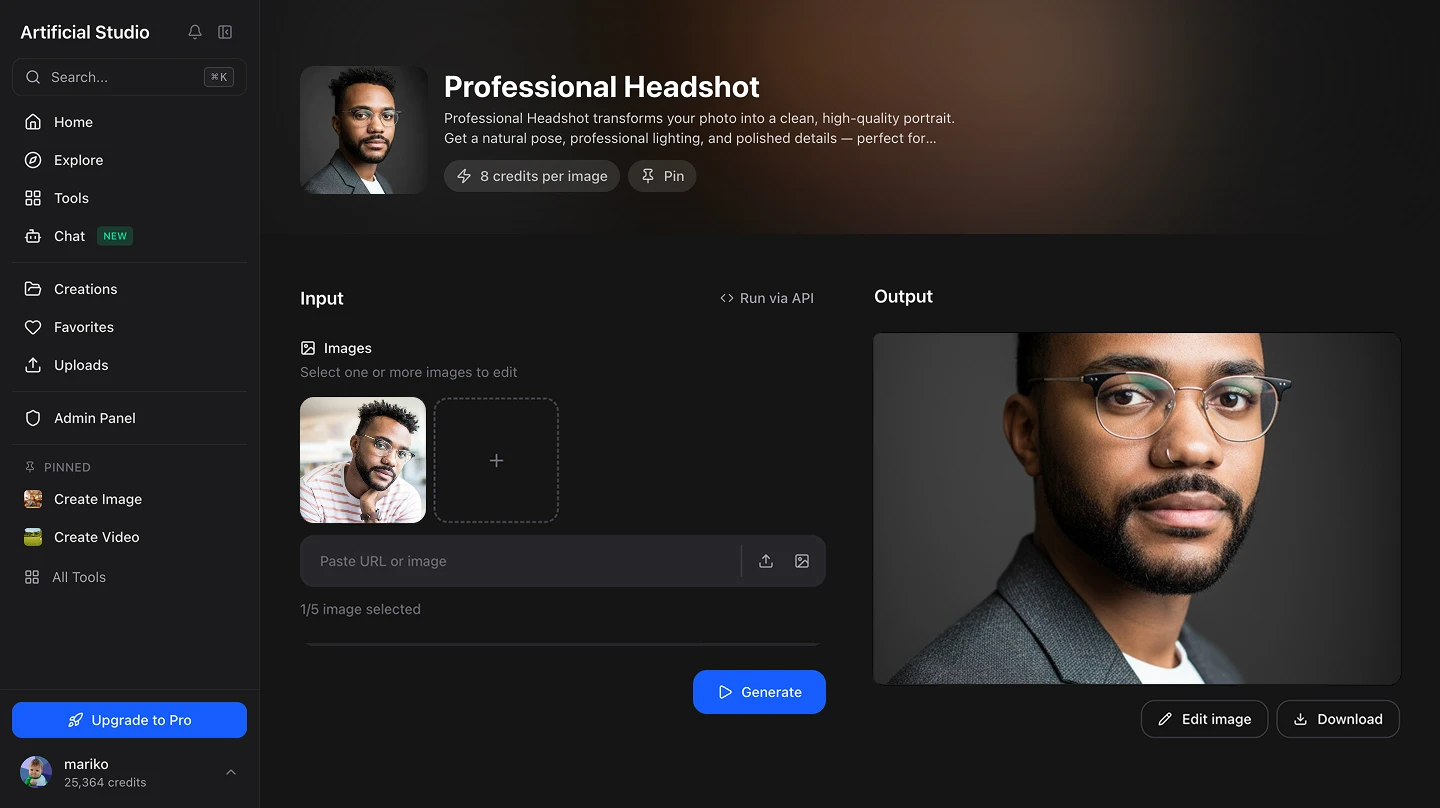
Go to Artificial Studio's Professional Headshot Generator. You'll see a single upload area. No settings to configure, no style presets to choose from — just upload and generate.
Step 2: Upload Your Photo
Click the upload area and select your photo — PNG or JPG. A few things that help:
- Face the camera directly, eyes open
- Decent lighting on your face — natural window light works well
- Plain or simple background
- Shoulders visible in the frame if possible
You don't need a great photo to start. The tool handles the heavy lifting. A recent photo of yourself where your face is clearly visible. A selfie or a phone photo works.
Step 3: Hit "Generate Image"
Press the yellow Generate Image button. In seconds you'll get a polished professional headshot: natural pose, clean background, professional studio-quality lighting, sharp details. 8 credits per generation, $0.046 at the standard plan rate, less than 5 cents.
Step 4: Download and Use It
Download the output and use it wherever you need it — LinkedIn profile, CV, company website, email signature, speaker bio, pitch deck. High-resolution, no watermarks. This high-quality portrait will be in a natural pose, professional lighting, and polished details.
Where you'll actually use this
LinkedIn profile. The most common use case. Studies consistently show that LinkedIn profiles with professional headshots get significantly more profile views, connection requests, and recruiter messages than those with casual photos or no photo at all. The quality of your headshot signals the quality of your personal brand before anyone reads a single word.
Job applications and resumes. In markets where it's standard to include a photo with your CV — most of Europe, Latin America, and Asia — a polished headshot is table stakes. A phone selfie sends the wrong signal. This fixes that in seconds.
Company website and team page. If you're a founder, consultant, or part of a small team, your website likely has a team section. A consistent set of professional headshots across the team looks significantly more credible than a mix of casual photos taken at different angles and lighting conditions.
Pitch decks and investor materials. Investors read the team slide. A professional headshot communicates that you take yourself seriously. A casual photo does the opposite.
Speaking and event bios. Conferences, webinars, and panels always ask for a headshot. Having one ready that actually looks professional saves you from scrambling every time.
Email signature. A clean headshot in an email signature adds a personal touch to business communication — especially useful for founders and consultants who want to build recognition with clients and prospects.
What it replaces
The typical options before this existed:
- Professional photographer — $150–$300 per session, requires scheduling, editing turnaround of 2–5 days
- DIY with a friend and a phone — Free, but results vary wildly depending on lighting, camera quality, and whoever's holding the phone
- Corporate photo day — Once a year, often rushed, results are inconsistent across the team
- LinkedIn's built-in filters — Basic adjustments that don't fix poor lighting or composition