How to visualize your bathroom remodel for free before you start (AI Tutorial 2026)
See exactly how your remodeled bathroom will look before spending a cent — upload your photo, describe the changes, and get a photorealistic render in seconds. Do it for free with this AI tutorial
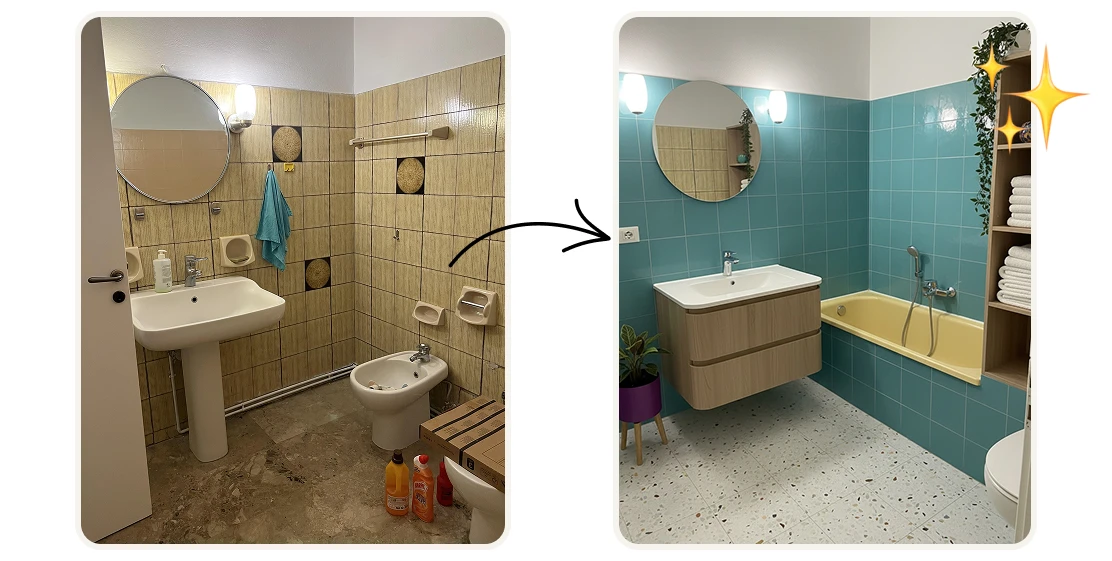
The most expensive mistake in a bathroom remodel is committing to a design you haven't actually seen. New tiles, a walk-in shower, black fixtures. It all sounds good in theory, but once the work starts, changes cost money.
Architects and interior designers charge $500–$2,000 just for visualization renders. That's before anything gets built.
With AI, you can see exactly how your remodeled bathroom will look in seconds — using a photo of your current bathroom and a plain-language description of what you want. Here's the exact tutorial:
Step 1: Open the Tool
Go to Artificial Studio's Bathroom Remodel Visualizer. You'll see an upload area and a description field below it.
Step 2: Upload Your Bathroom Photo
Click the upload area and select your photo — PNG or JPG. Frontal or corner angle works best. A few things that improve the output:
- Good lighting — avoid very dark or heavily shadowed photos
- The full bathroom visible in frame, not just a partial view
- Frontal or 3/4 angle rather than a straight-down or extreme wide shot
The AI uses your photo to preserve the original structure of the space — the placement of the shower, the vanity, the windows — so the remodeled version matches your actual bathroom, not a template.
Step 3: Describe the Remodel
This is where the tool gets interesting. In the description field, write what you want the remodel to look like. Be as specific or as general as you want.
Some examples that work well:
- "Walk-in shower, large white porcelain tiles, matte black fixtures, frameless glass door"
- "Freestanding bathtub, warm wood accents, gold fixtures, soft ambient lighting"
- "Minimalist style, light grey tiles floor to ceiling, floating vanity, brushed nickel taps"
- "Farmhouse style, subway tiles, exposed brick wall, vintage brass fixtures"
The more detail you give, the closer the output will match your vision. But even a short description like "modern black and white bathroom" produces a strong result.
Step 4: Hit "Generate Image"
Press the yellow Generate Image button. In seconds you'll get a photorealistic render of your bathroom remodeled according to your description — same layout, same architecture, new design.
If the first result isn't quite right, adjust the description and generate again. Try different styles, different tile colors, different fixture finishes. 8 credits per generation, $0.046 at the standard plan rate, less than 5 cents
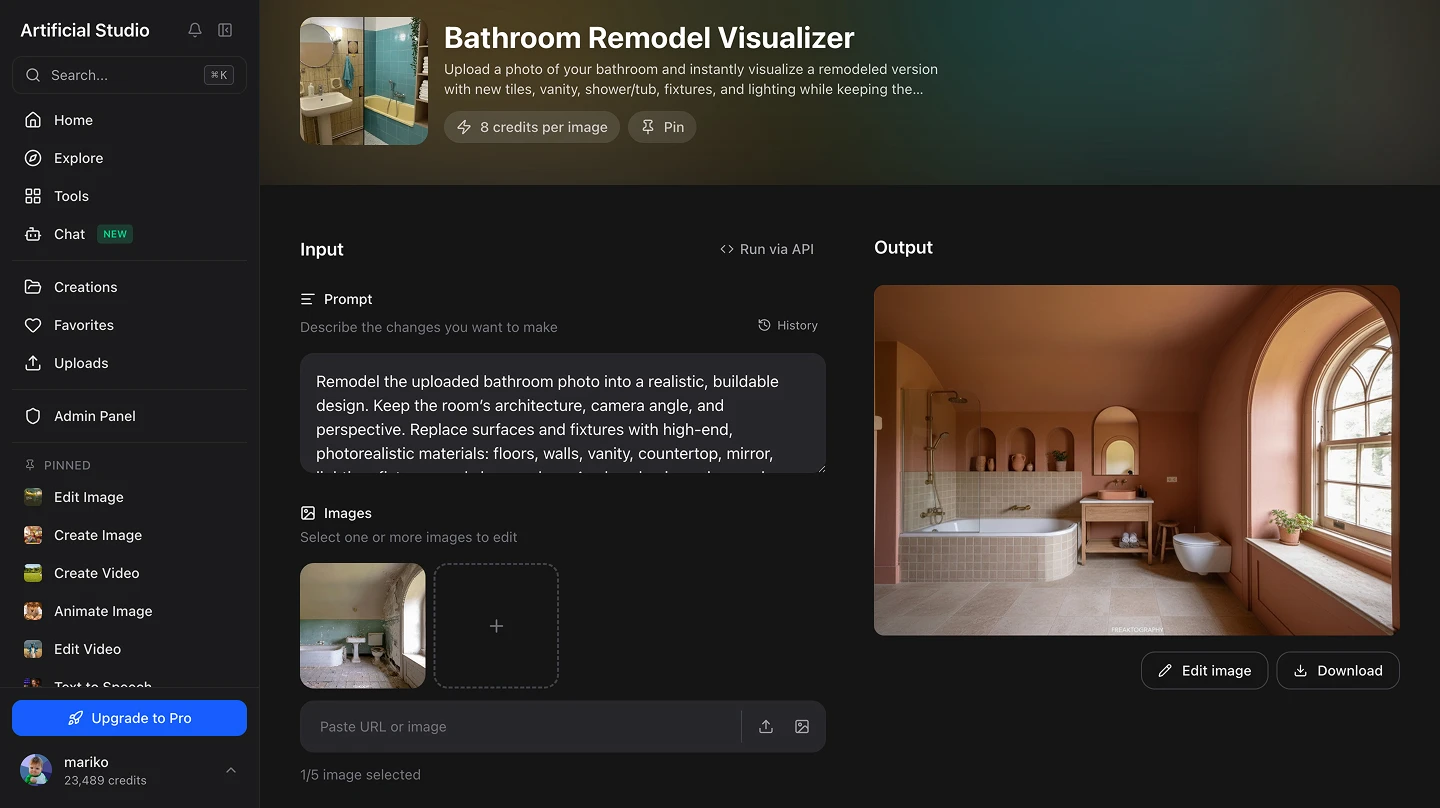
Step 5: Download and Use It
Download the render and use it however you need — share it with your contractor, show it to your partner, include it in a renovation budget presentation, or post it to get feedback before committing.
Where this makes a real difference
Before hiring a contractor. Show your contractor exactly what you want instead of trying to describe it in words. A visual reference eliminates misunderstandings and reduces the chance of expensive mid-project changes.
Comparing design directions. Not sure whether to go with white marble or dark slate tiles? Generate both. Seeing the actual result in your specific bathroom is far more useful than looking at tile samples on a website.
Getting a second opinion. Share the render with family, a friend, or an interior designer before committing. It's much easier to get useful feedback on a visual than on a verbal description.
Real estate pre-sale renovation. If you're planning to remodel before listing a property, visualizing the result first lets you compare different design directions against what actually sells in your market — before spending a dollar on materials or labor.
Rental property upgrades. Landlords planning bathroom upgrades can use this to evaluate design options and estimate material costs before contacting contractors for quotes.
What it replaces
Getting a photorealistic bathroom render before this tool existed meant one of three things:
- Hiring an interior designer or architect for visualization — $500–$2,000 per render, multiple revisions, days of waiting
- Using 3D modeling software like SketchUp or AutoCAD — months of learning, expensive licenses, still requires design skill
- Guessing — picking tiles and fixtures from photos online and hoping they work together in your specific space
This generates a render of your actual bathroom in seconds, for a few cents, with no design skills required. You can run 10 different design directions in the time it used to take to send one email to a designer.